Revolut X is the crypto exchange from Revolut, and it connects to Viktury with a read-only API key. The key lets Viktury read your orders and balances. It cannot trade and it cannot withdraw.
Revolut X is a separate account from the Revolut app. If you want your Revolut stock trades in Viktury, see Connect Revolut, which uses a CSV export instead.
What you need
Revolut X does not hand you a secret the way most exchanges do. You make a key pair on your own computer, give Revolut X the public half, and give Viktury the private half. That means you need a computer with a terminal, because there is no way to do this from a phone.
The commands below need OpenSSL. How you get it depends on your computer.
Windows
Install Git for Windows, which comes with Git Bash and a current OpenSSL. Open Git Bash from the Start menu and run the commands below there, not in Command Prompt or PowerShell. Git Bash starts in your user folder, so the key file ends up at C:\Users\<your name>\revolutx-private.pem.
Linux
Most distributions already include OpenSSL. Open a terminal and run openssl version. If it prints OpenSSL 3, you are ready. If the command is missing, install it with your package manager, for example sudo apt install openssl on Ubuntu or Debian. The key file is saved in the folder the terminal is in, usually your home folder.
Mac
The built-in openssl is too old and stops with "Algorithm ed25519 not found". Install the current one with Homebrew and use it by its full path:
brew install openssl@3
alias openssl="$(brew --prefix openssl@3)/bin/openssl"
The alias lasts until you close that terminal window, which is all you need here.
Make the key pair
-
Create the private key:
openssl genpkey -algorithm ed25519 -out revolutx-private.pem -
Print the matching public key:
openssl pkey -in revolutx-private.pem -puboutCopy everything it prints, including the BEGIN and END lines.
Keep revolutx-private.pem private. Anyone with that file and your API key can read your Revolut X account.
Create the API key
-
Sign in to Revolut X on the web (exchange.revolut.com), open your profile menu and go to API keys.
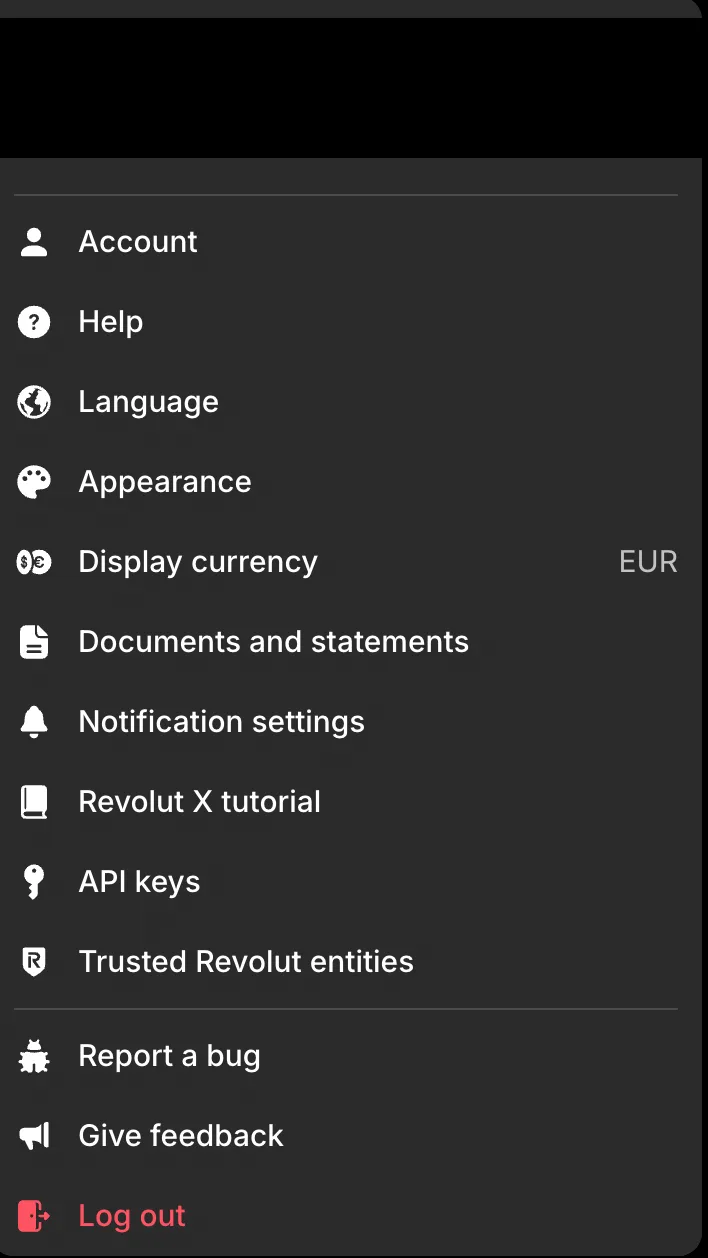
Open your profile menu and pick API keys. -
Click New.
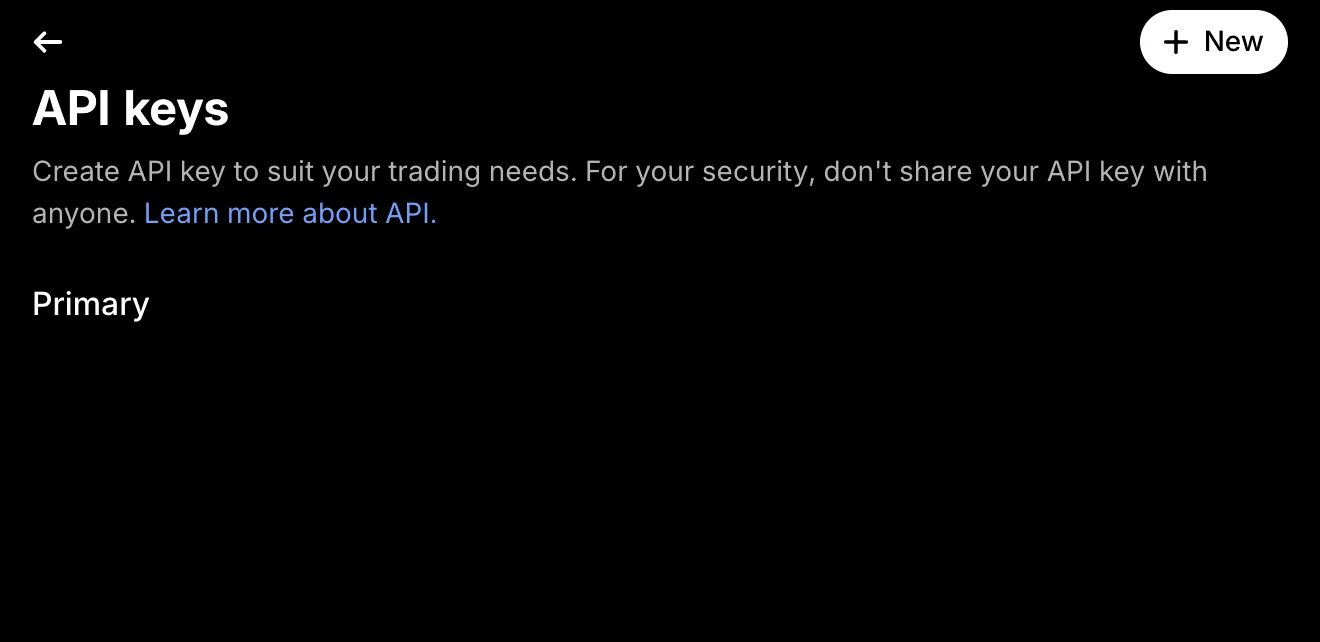
-
Name the key and paste the public key from the step above, BEGIN and END lines included. Leave Spot view ticked and Spot trade off, then click Save.
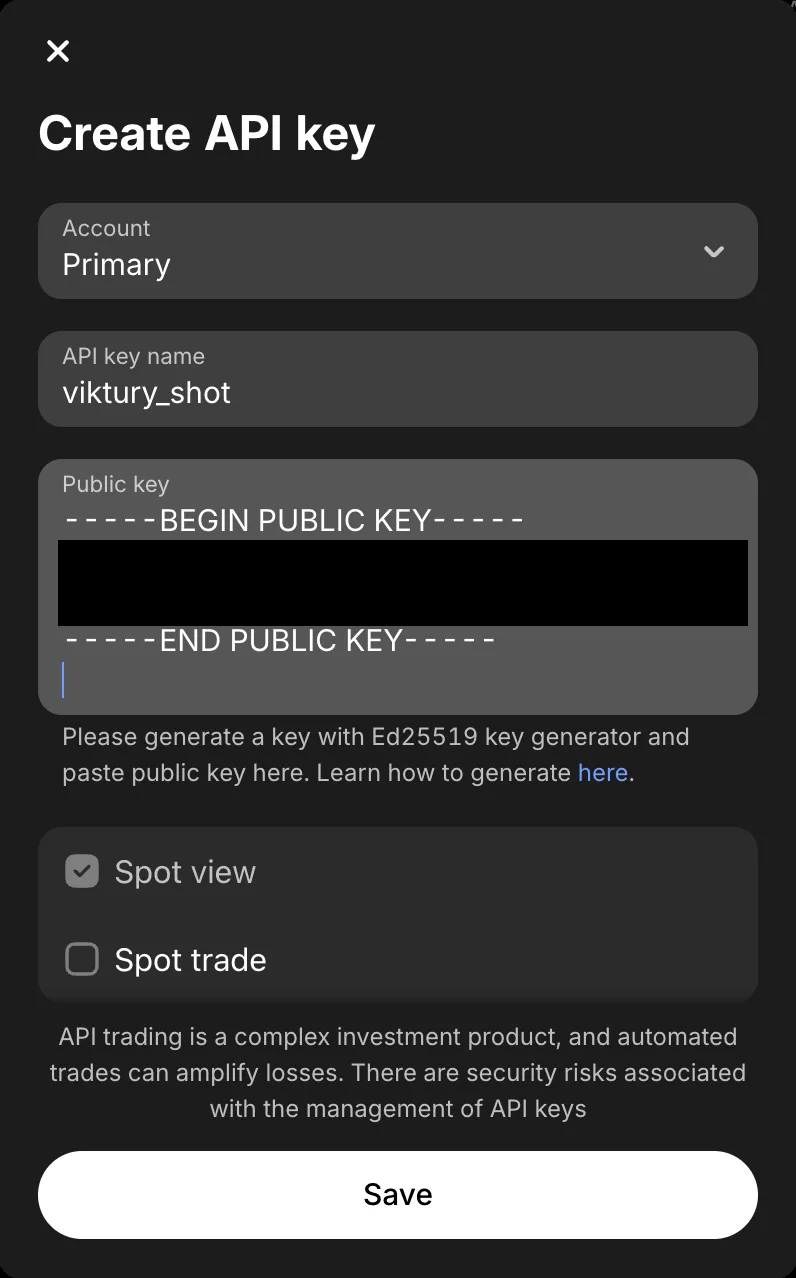
Paste the whole public key, including the BEGIN and END lines. Leave Spot trade off. -
Open the new key and copy its API key with the copy button. It is 64 characters long.
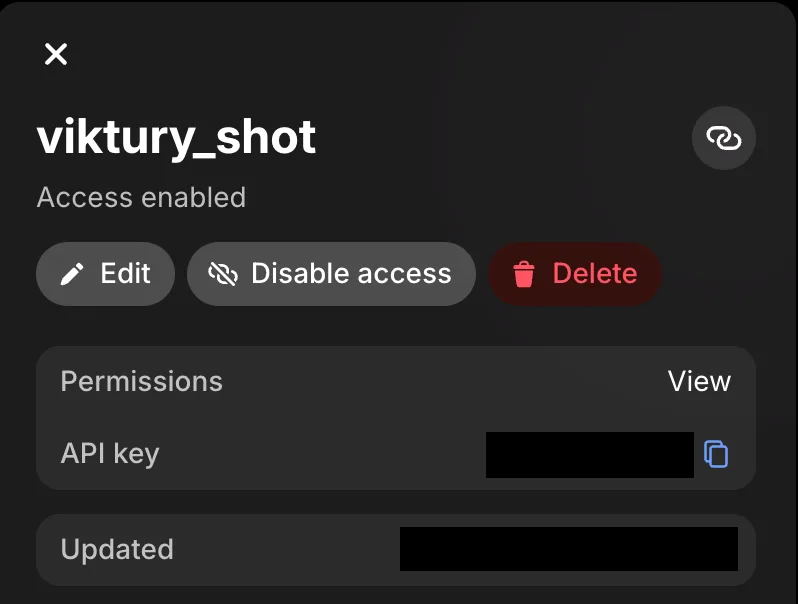
Copy the API key from here.
Add it to Viktury
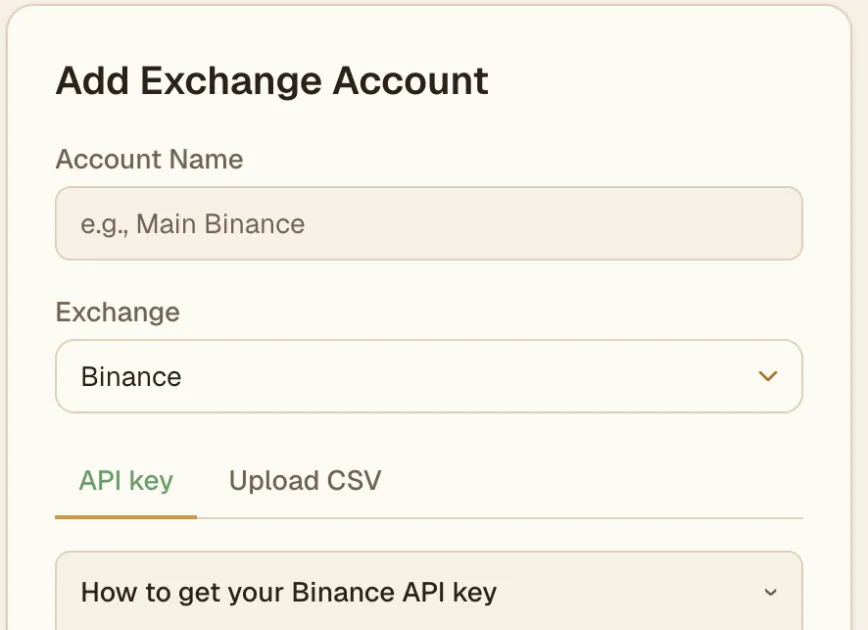
On the Add account screen, choose Revolut X and give the account a name. Paste the 64-character key into the API Key field, then load revolutx-private.pem into the Private Key field. You can also open the file in a text editor and paste its contents, BEGIN and END lines included. Save, and Viktury runs its first sync.
What we import
- Filled orders, with the fee Revolut X charged on each one.
- Your current balances, shown as holdings.
Deposits and withdrawals are not imported. Revolut X only lets an API key read 30 days of orders per request, so Viktury steps back through your history 30 days at a time. On an account used since 2024, the first sync can take a few minutes.
Troubleshooting
- The key is rejected. Check that the API key is the full 64 characters, and that the public key you gave Revolut X came from the same
revolutx-private.pemyou loaded here. A key pair made twice gives two different keys that do not match. - "That does not look like a PEM private key". You probably loaded the public key. The private file is
revolutx-private.pem, and it starts with-----BEGIN PRIVATE KEY-----. - "Algorithm ed25519 not found". Your
opensslis the old one that ships with macOS. Follow the Homebrew step above and run the command again. - "'openssl' is not recognized" on Windows. You are in Command Prompt or PowerShell. Open Git Bash and run the command there.
- Older orders are missing. Check the account card for a sync error. If the last sync finished cleanly, send us a note through the contact form with the date of a missing order.