Connecting Coinbase lets Viktury sync your trades automatically. Coinbase uses keys from its Developer Platform (CDP), and the key you create only needs view access, so Viktury can read your trade history but can never trade or move funds.
Create a read-only CDP API key
-
Go to the Coinbase Developer Platform at portal.cdp.coinbase.com and sign in with your Coinbase account. Open Settings, then API Keys, stay on the Secret API keys tab and click Create secret API key.
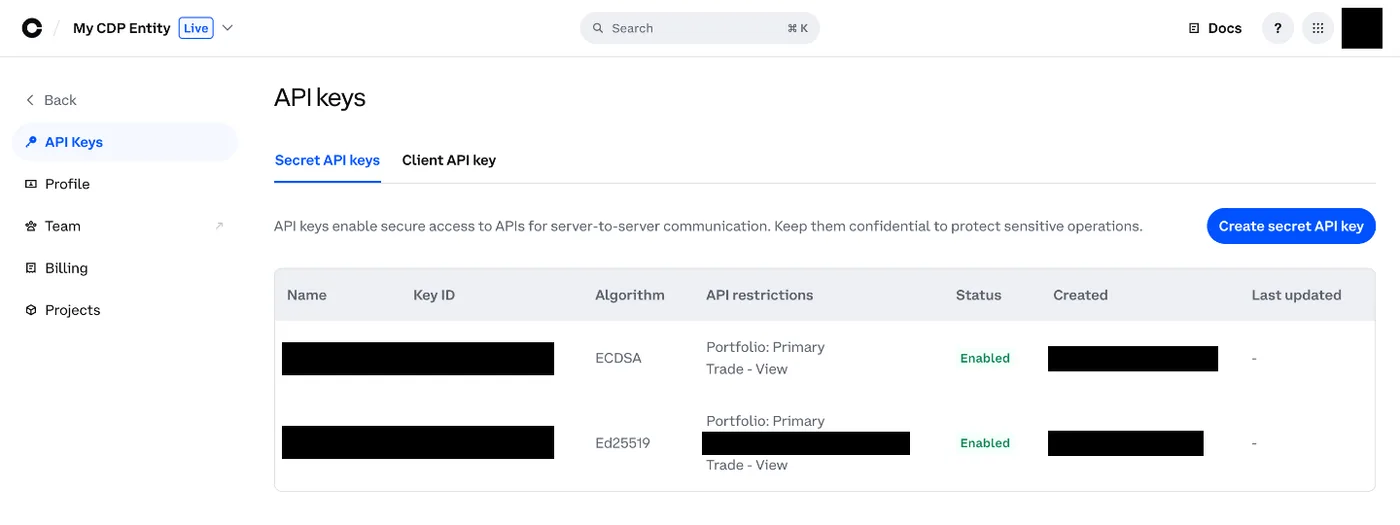
API keys now live under Settings in the developer portal. -
Name the key. Under IP allowlist, add the IP address the Add account screen shows, or tick Allow requests from any IP address. Coinbase will not create a key without one of the two.
-
Open Advanced settings and keep only View (read-only) ticked. Leave Trade, Transfer and everything else off. Viktury never needs them.
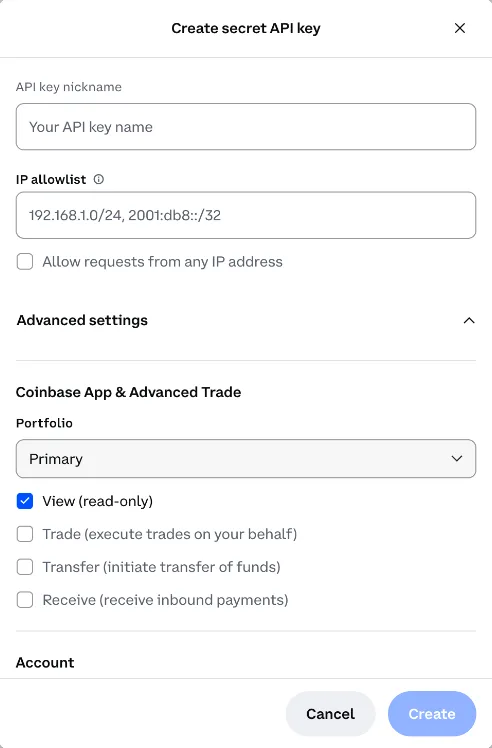
Under Advanced settings, keep only View ticked. -
Click Create and copy both the API key ID and the secret. The secret is shown only once, so store it before you close the dialog. Depending on the key type, the secret is either a base64 string or a block of text that starts and ends with BEGIN and END lines. Copy the whole thing exactly as shown.
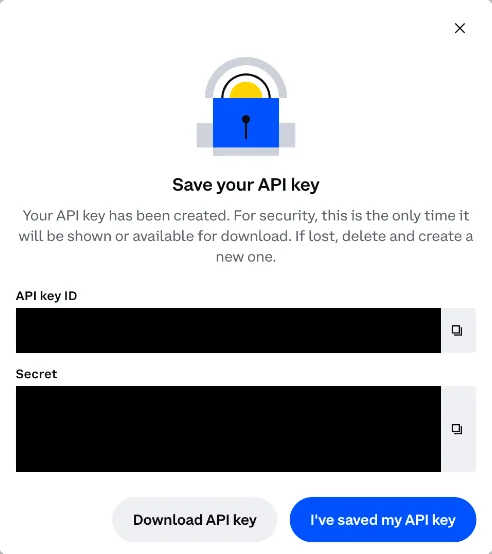
The secret is shown only once, so copy it before you close this.
Add it to Viktury
On the Add account screen, choose Coinbase and give the account a name. Paste the API key ID into the API Key field and the full private key into the API Secret field. Save, and Viktury runs its first sync to pull your history.
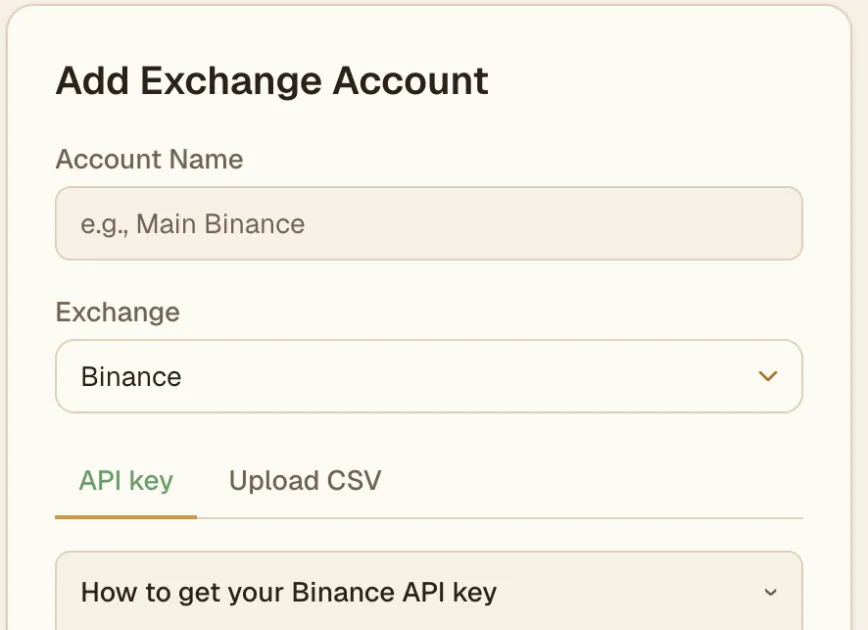
Import from a CSV instead
If you would rather not create a key, export your trade history from Coinbase as a CSV and upload it. A key keeps things in sync on its own, while a CSV is a one-time snapshot you re-upload when you want fresh data.
-
On coinbase.com, open your Statements page (accounts.coinbase.com/statements).
-
Under Generate custom statement, leave Asset and Transaction type on all, pick your dates, choose CSV and click Generate.
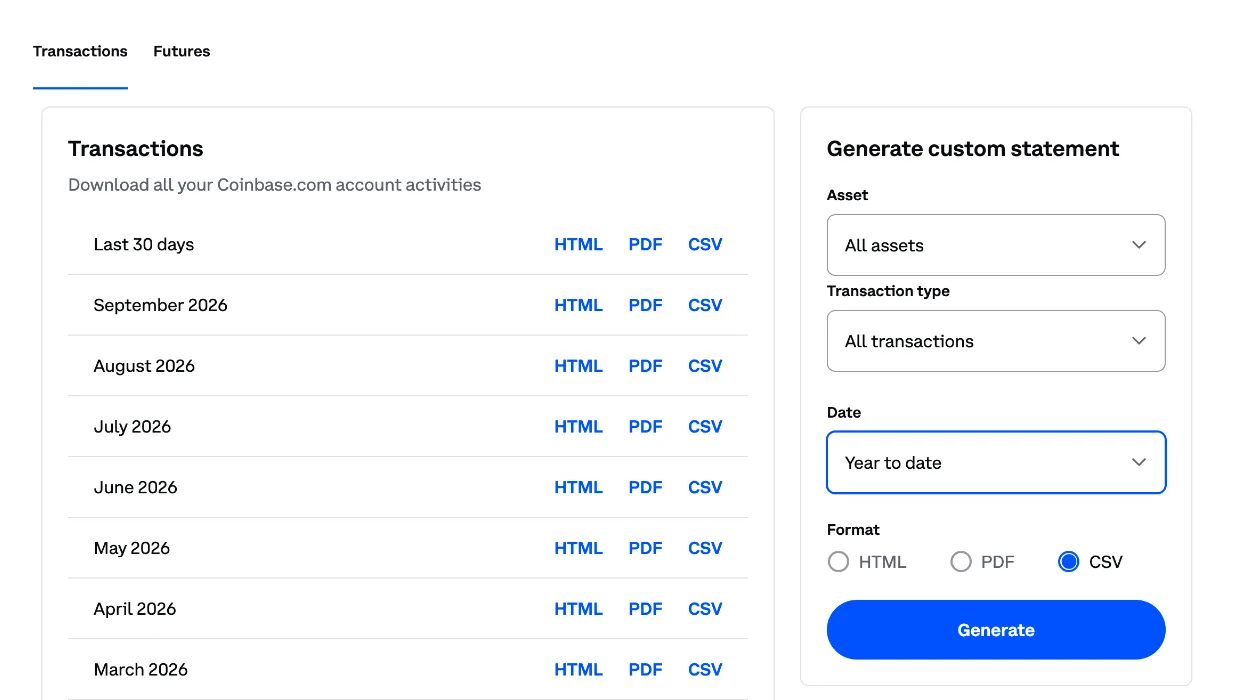
Pick CSV in the custom statement panel, then Generate. -
On the Add account screen, choose Coinbase, open the Upload CSV tab and select the file. Advanced Trade buys and sells are imported, and other rows are skipped.
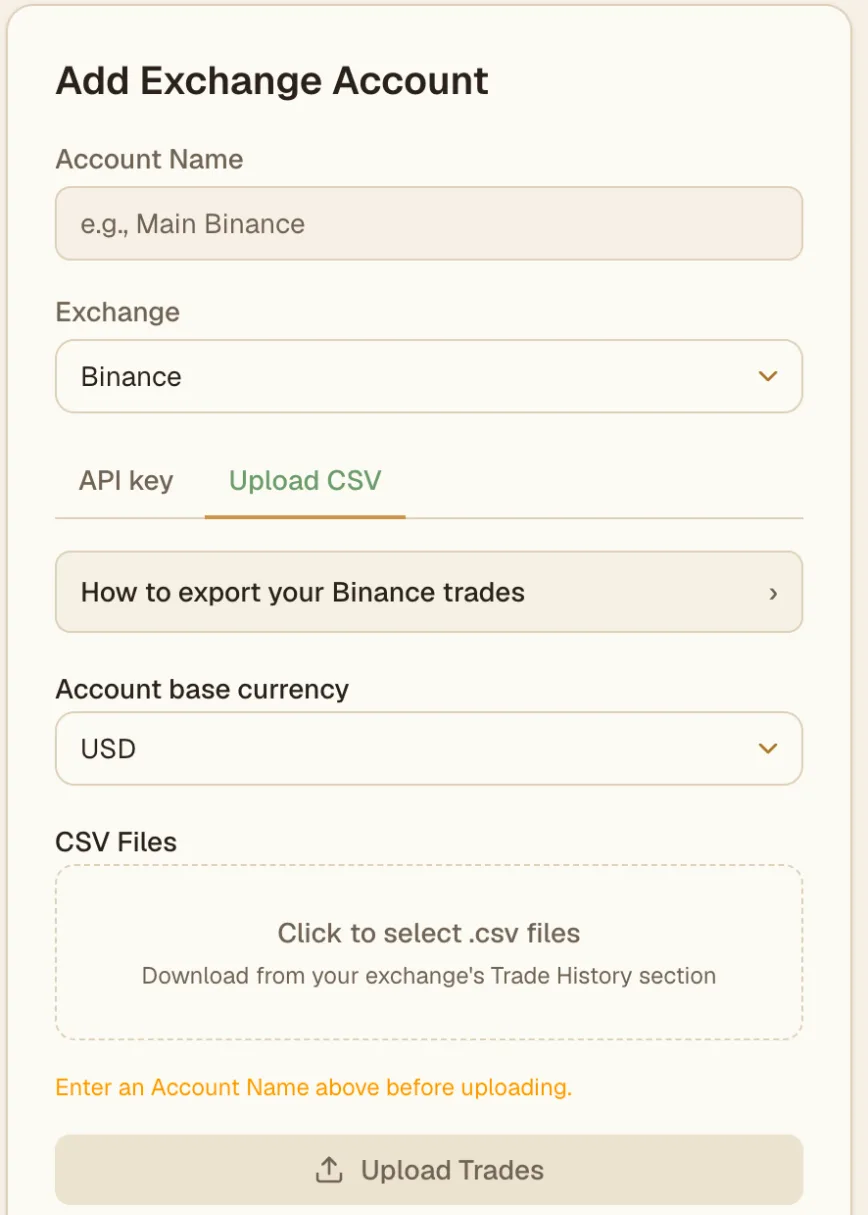
On the Upload CSV tab, pick your file and click Upload Trades.
Troubleshooting
- Key rejected. Recheck that the API key ID and the secret are pasted with no stray spaces, and that you copied the secret in full, including the BEGIN and END lines if your key has them. Confirm the key is active on Coinbase.
- No trades showing yet. The first sync can take a moment. A fresh account or a quiet date range may simply have nothing to import yet.
- Permissions error. If syncing fails on access, the key probably does not have read access. Edit it on Coinbase so it can view your account and trade history, and remove any trade or withdrawal rights if you granted them by mistake.