Binance TR is the Turkish platform and is connected separately from global Binance, with its own API key. As with every connection, Viktury only needs read access, so the key can see your trade history but never trade or withdraw.
Create a read-only API key on Binance TR
-
Sign in to Binance TR (binance.tr, not global Binance), click the person icon at the top right and choose API Management.
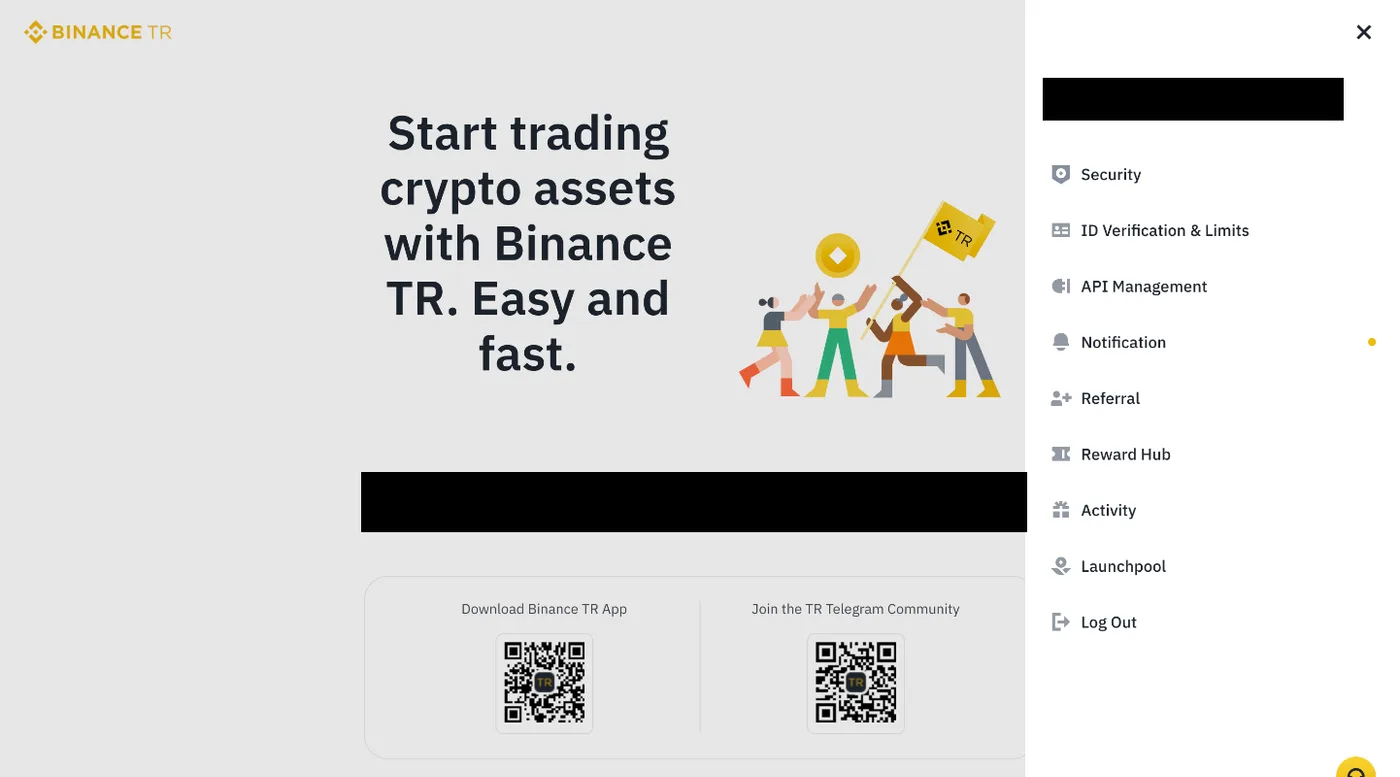
Open the person icon at the top right, then API Management. -
Type a label for the key, click Create and complete the security verification. You get an API Key and a Secret Key.
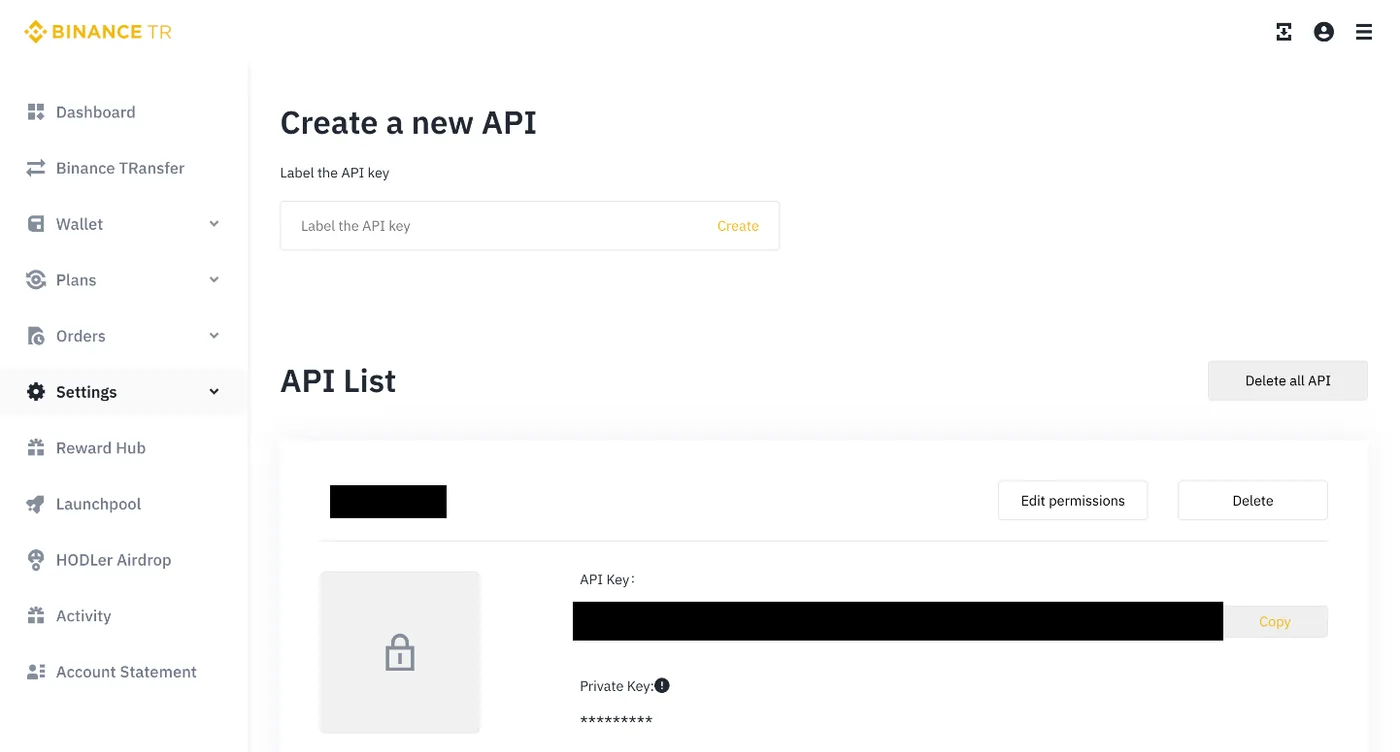
Type a label and click Create. -
A new key comes with Enable Trade ticked next to Read only. Click Edit permissions, untick Enable Trade and click Save, so only Read only stays on. Leave withdrawals off too.
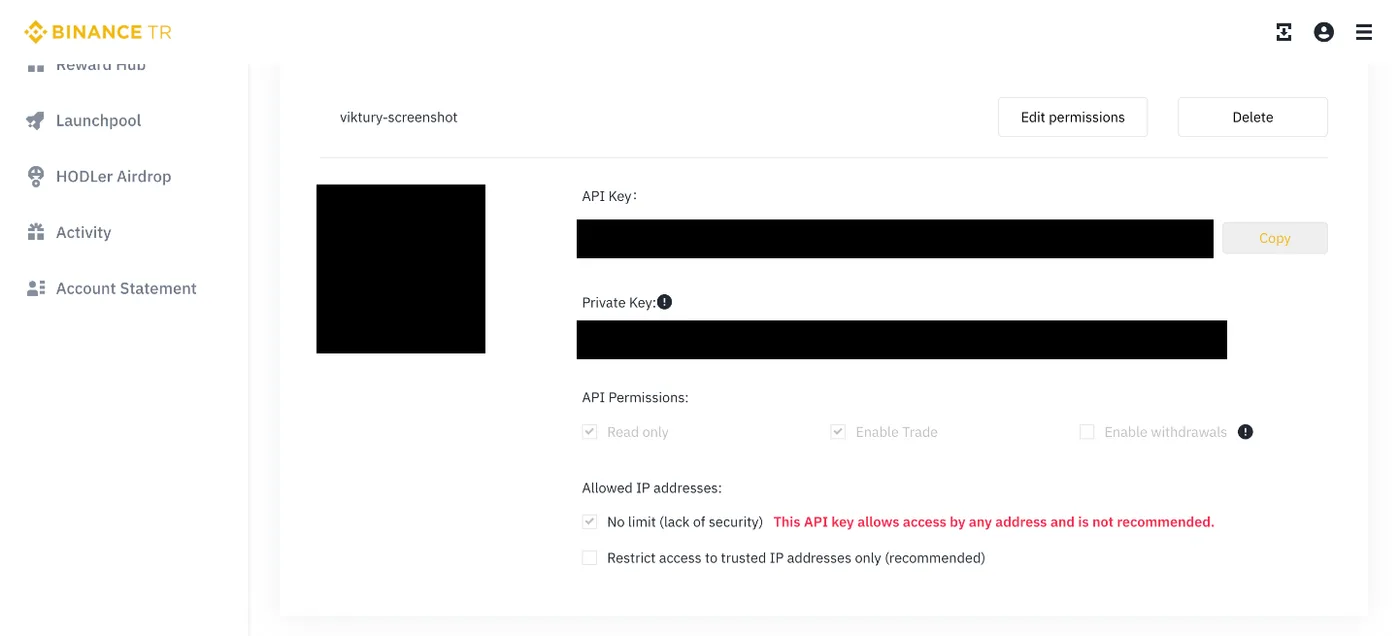
A new key starts with Enable Trade ticked. The next step turns it off. 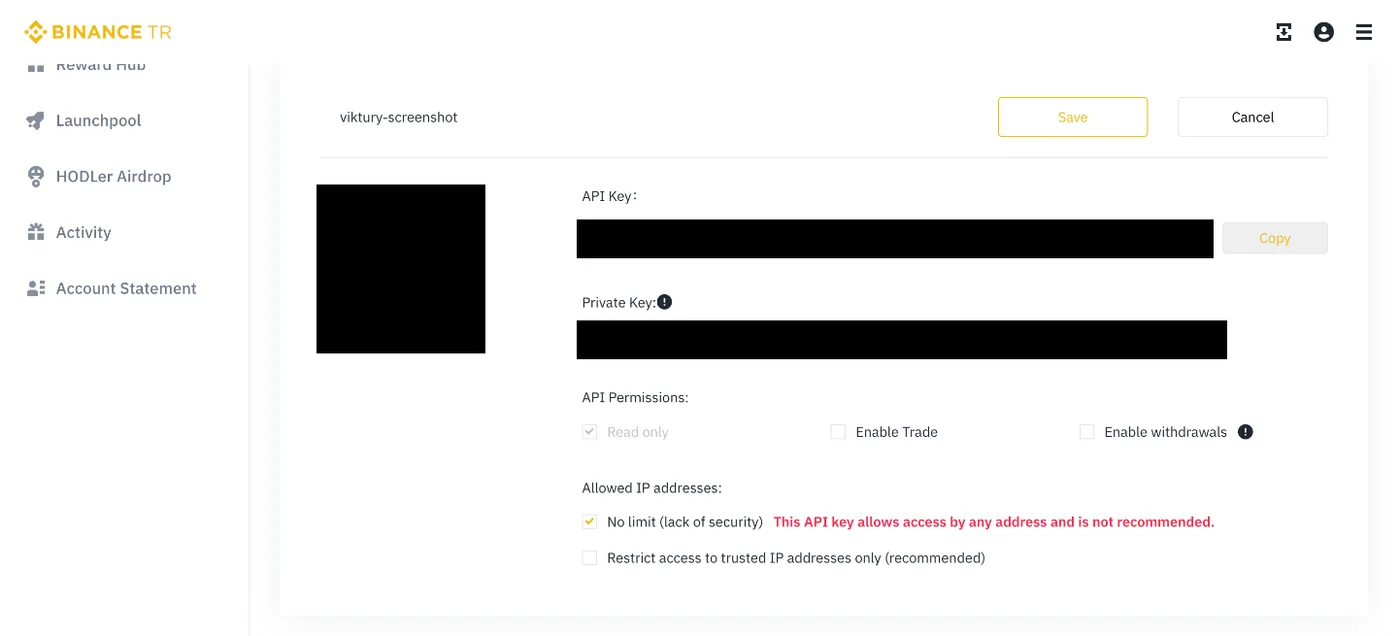
Click Edit permissions, untick Enable Trade, then Save. -
Copy the API Key and the Secret Key right away. Binance TR stops showing the secret in full once you leave the page.
Add it to Viktury
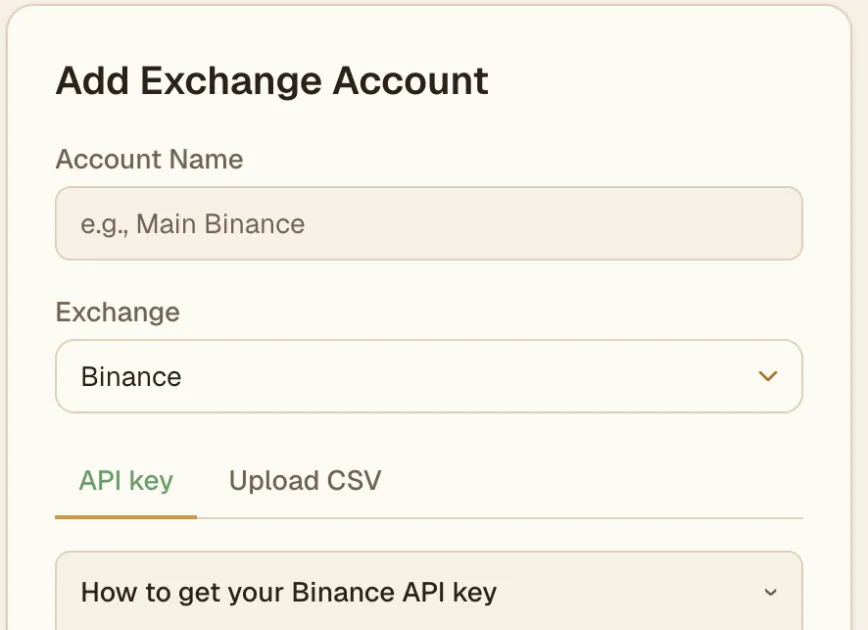
On the Add account screen, choose Binance TR (make sure you pick the TR option, not global Binance), name the account, and paste the API Key and API Secret into the matching fields. Save, and Viktury syncs your trades.
Troubleshooting
- Key rejected. Confirm you created the key on Binance TR rather than global Binance, check for stray spaces, and make sure the key is active. An IP restriction on the key can also block syncing.
- No trades showing yet. The first sync can take a moment, and an account with no fills in range has nothing to import.
- Permissions wrong. If the sync fails on access, enable reading on the key. Remove any trading or withdrawal permission you turned on by mistake.