Bybit EU can connect to Viktury with a read-only API key. The key lets Viktury read your history and nothing else: it cannot trade and it cannot withdraw.
What you need
A read-only key from bybit.eu. Make sure you are on bybit.eu and not bybit.com, because the two sites have separate accounts and separate keys.
Create the key
-
Sign in at bybit.eu and open API from your profile menu.
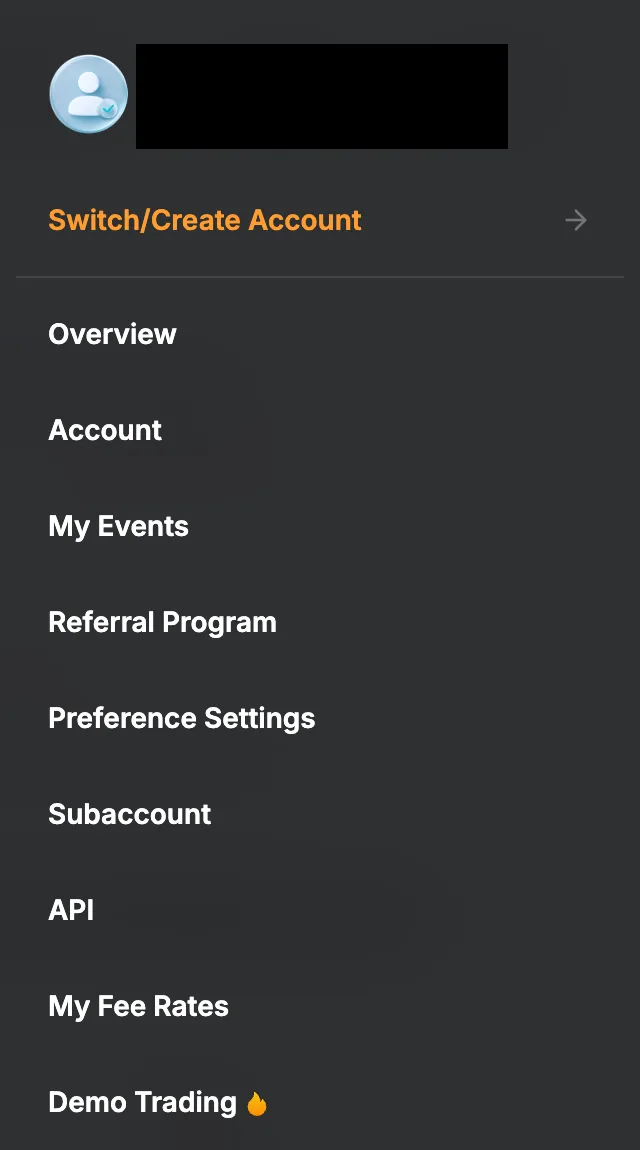
Open the profile menu at the top right and pick API. -
Choose Create New Key, then System-generated API Keys.
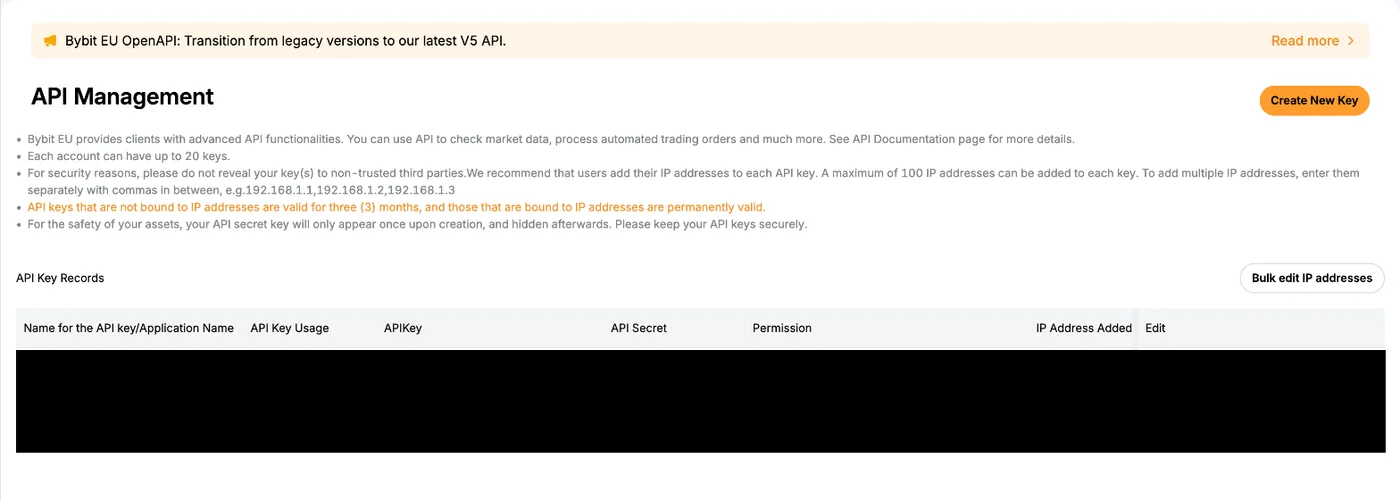
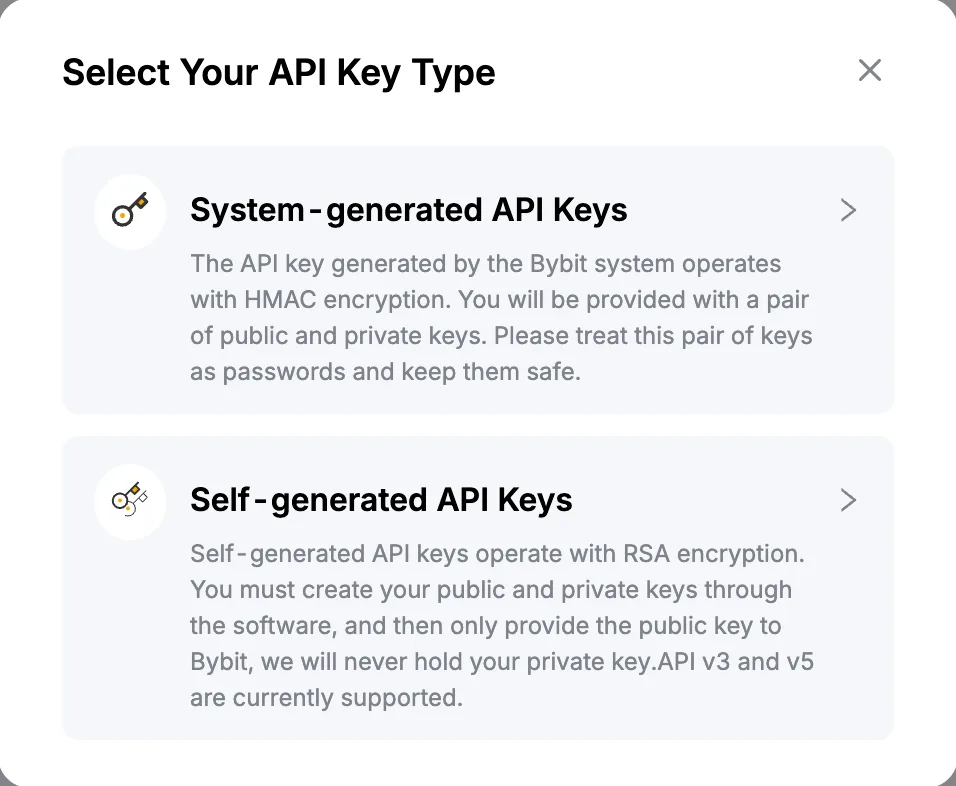
Choose System-generated API Keys. -
Under "API Key Usage" choose "API Transaction", and under "API Key Permissions" choose "Read-Only". Bind the key to our IP while you are here (see below).
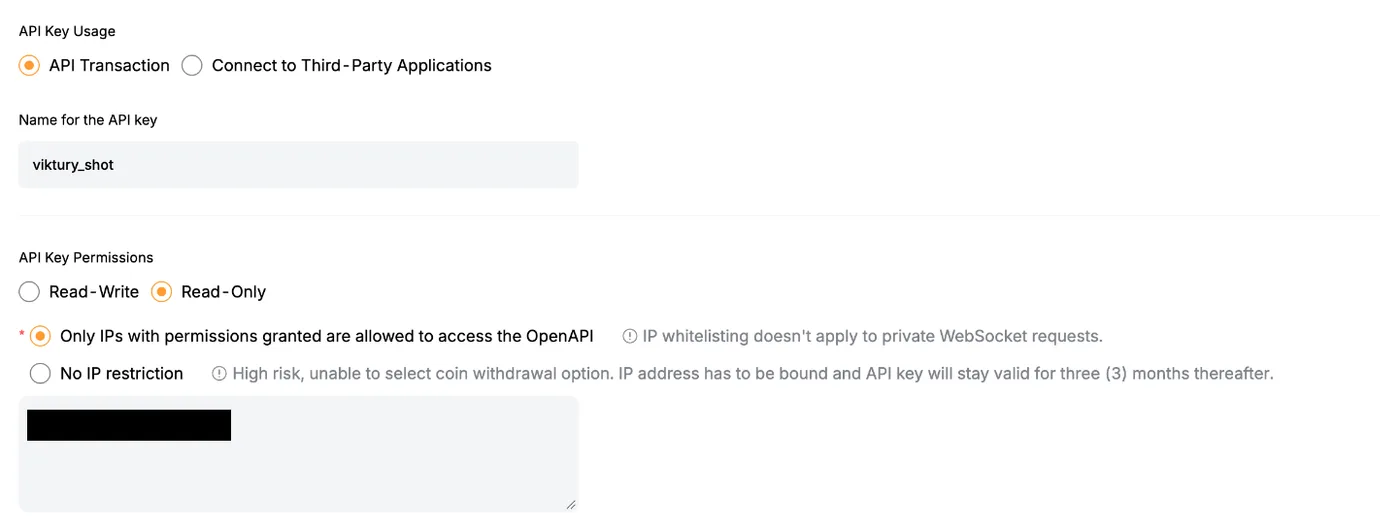
Pick Read-Only and add the IP address shown in the Viktury form. -
Tick every box in the permissions table: "Trade" under Unified Trading, then "Account Transfer", "Subaccount Transfer" and "Bybit Convert, Conversion History" under Assets.
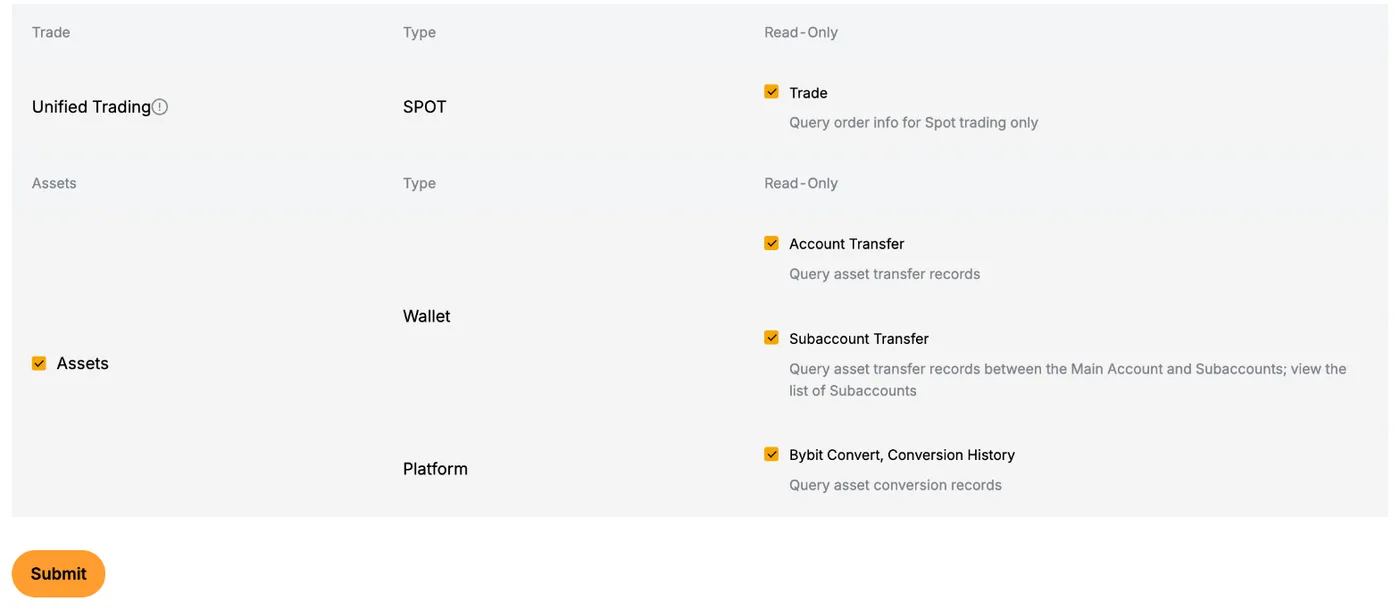
Tick every box in the table. -
Click Submit and complete the security check. Copy the API Key and the API Secret. Bybit shows the secret only once, so paste both into the Add account form straight away.
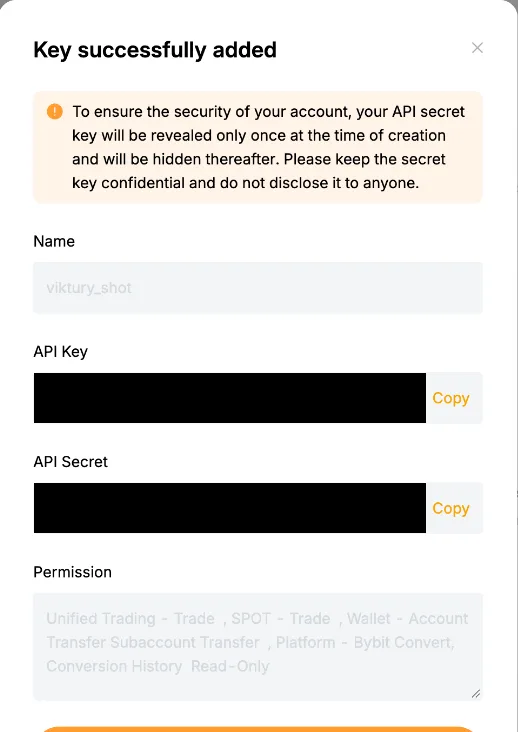
Bybit shows the secret only once. Copy it before you close this.
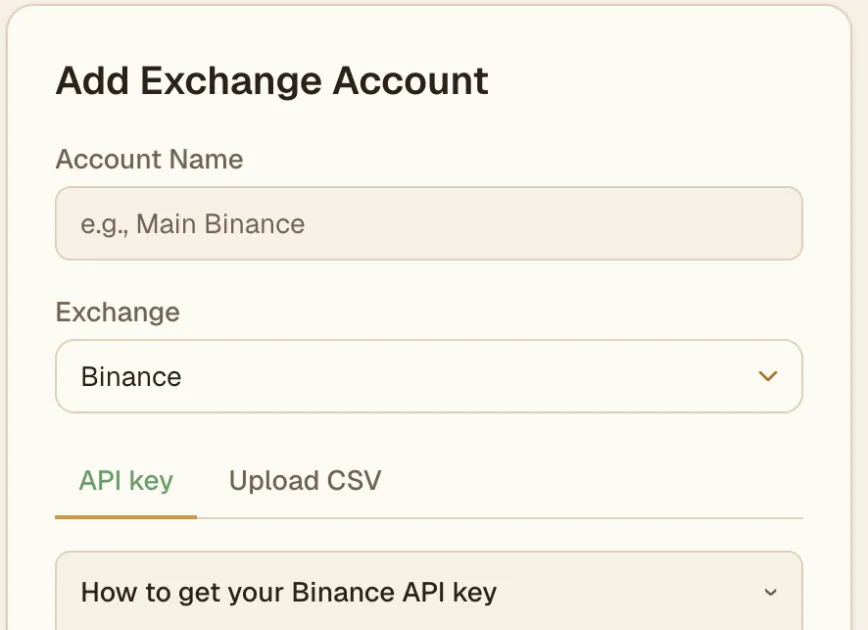
Without the "Bybit Convert, Conversion History" permission, bank deposits and withdrawals will not import. The account card tells you when that permission is missing.
Bind the key to our IP
The Add account form shows an IP address. On the key screen, choose "Only IPs with permissions granted are allowed to access the OpenAPI" and add that address. Bybit expires a key with no IP restriction after three months, and a bound key does not expire. If a key does expire, the account card shows the date so you can create a new read-only key before sync stops.
What we import
- Trades.
- Crypto deposits and withdrawals, both on-chain and internal.
- Bank deposits and withdrawals.
- Convert, One-Click Buy and Express.
- Staking and Launchpool rewards, bonuses, coupons and airdrops.
Bybit does not let a read-only key see Earn balances. If your account has used Earn, the account card says so and does not show balances for it, because they could be missing the coins held in Earn. Your trades and transfers still import.
Card payments are not read yet. The same goes for On-Chain Earn, Double Win, Discount Buy and Smart Leverage. If we find activity from any of these on your account, the account card says some activity could not be imported yet, and your balances may differ until it can.
What to expect
Bybit only lets us read bank deposits and withdrawals from the last 18 months. Anything older is counted in your opening balance instead of showing as separate movements. The account card shows the cutoff date.
If you already imported this account from a CSV, add the API connection as a new account. A CSV account cannot be switched to an API key. When two accounts look like the same Bybit account, each card says so, and portfolio totals count both.
Import from a CSV instead
Bybit EU exports are made in a desktop browser.
-
Open Orders, then Unified Trading Order, and go to the Spot Trade History tab.
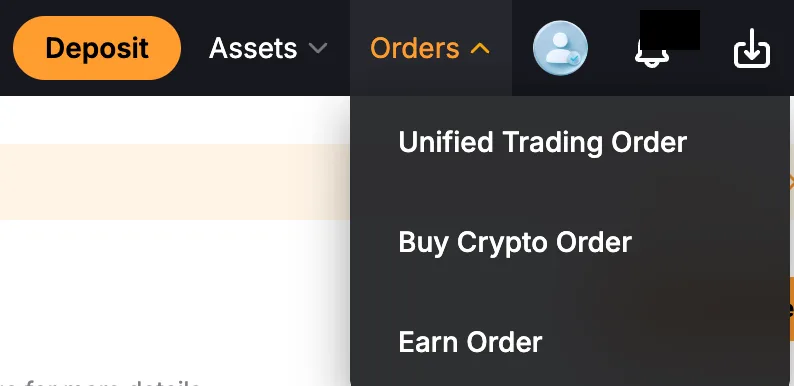
Open Orders, then Unified Trading Order. -
Click Export. Each export covers up to 6 months within the last two years, so repeat it for older periods. Bybit only exports orders placed after your account moved to Unified Trading.
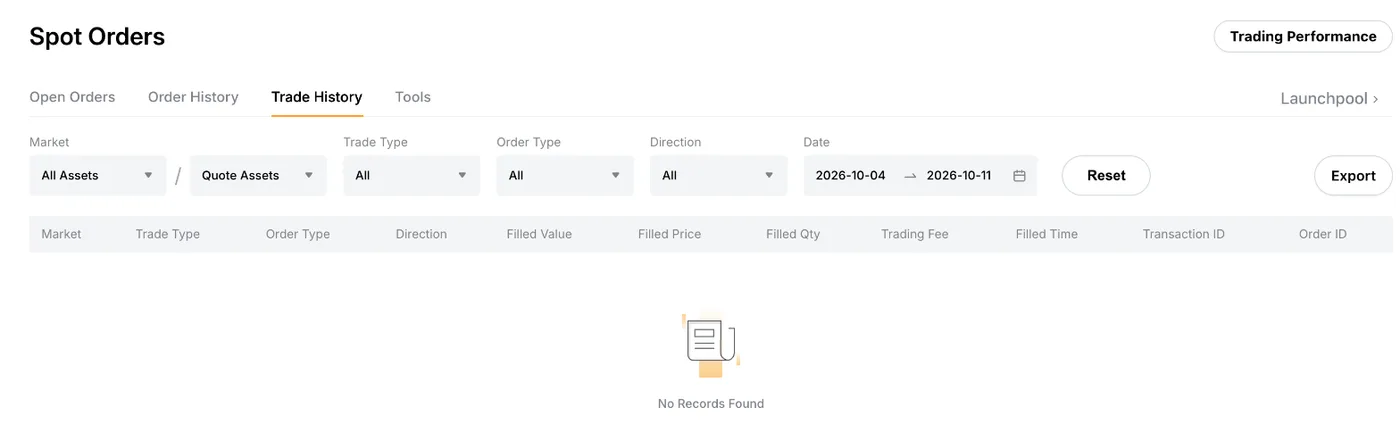
On the Trade History tab, click Export. 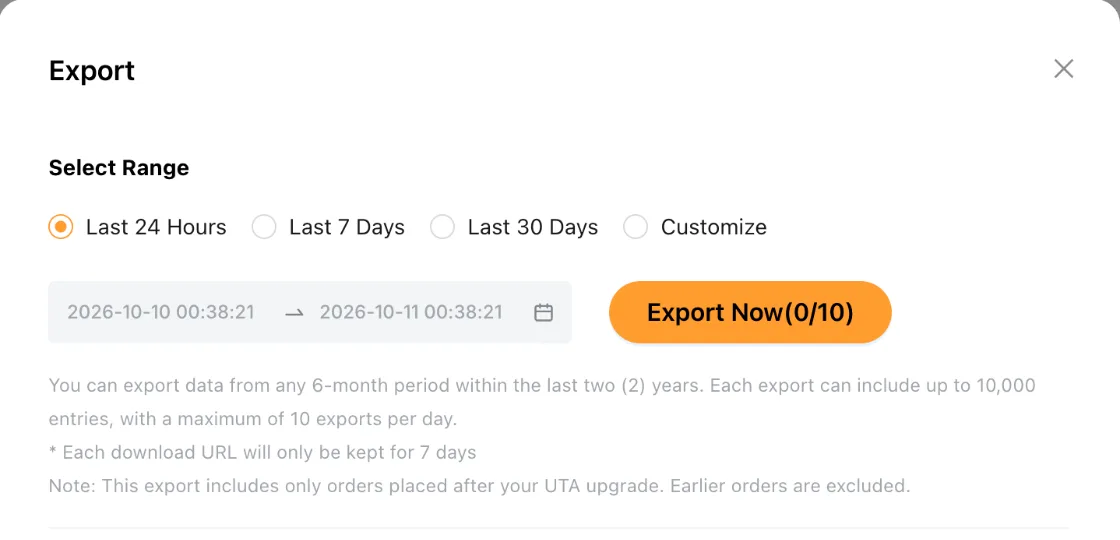
Each export covers up to 6 months within the last two years. -
For derivatives, open Assets, then Spot & Margin, then History Records, then Transaction Log, and click Export there.
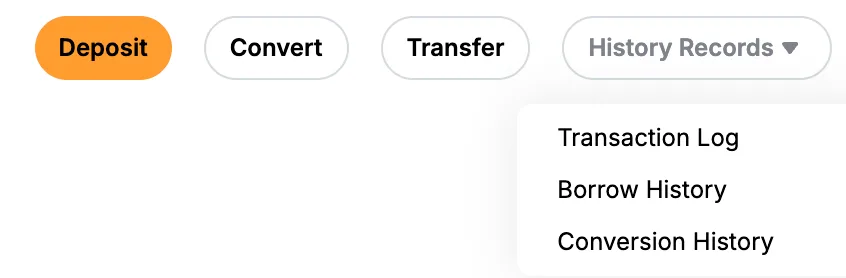
Open History Records, then Transaction Log. 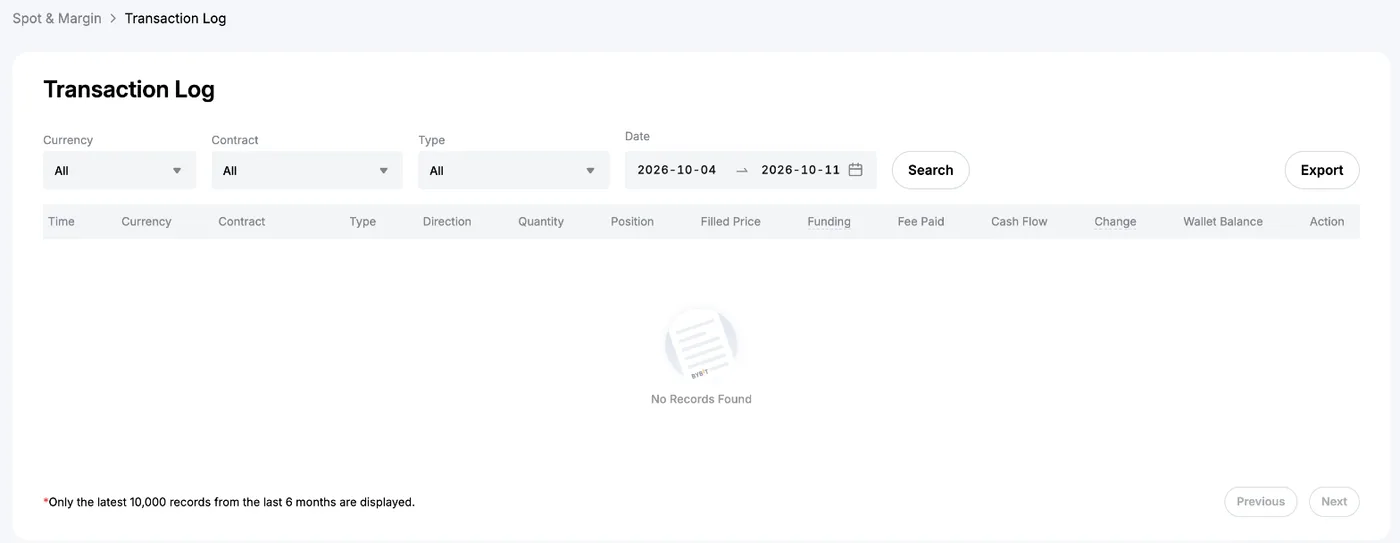
Click Export on the Transaction Log. -
Download the file when it is ready (it can take a while). On the Add account screen, choose Bybit EU, open the Upload CSV tab and select it as it is.
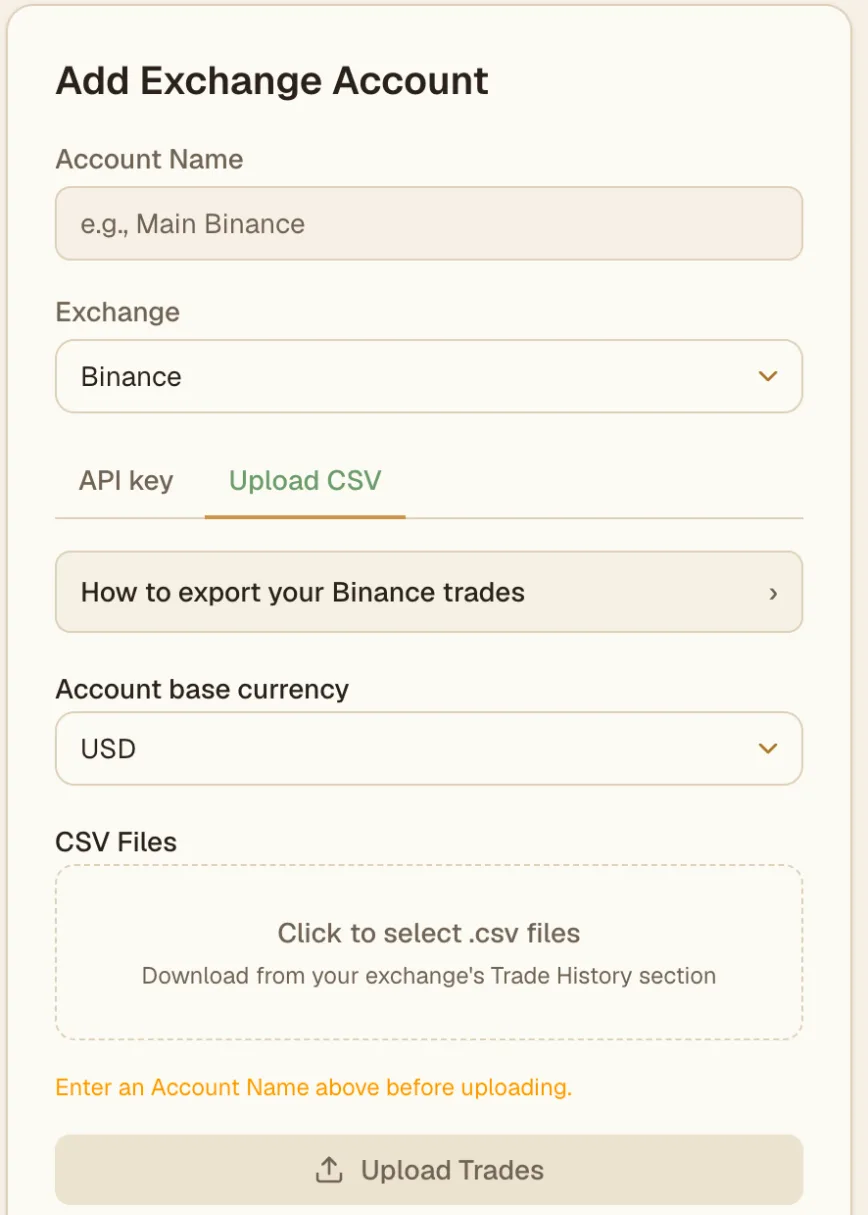
On the Upload CSV tab, pick your file and click Upload Trades.
Troubleshooting
- The key is rejected. Check that it came from bybit.eu, that you copied the full key and secret, and that it has not been deleted or expired on Bybit.
- Bank movements are missing. Open the key on Bybit and confirm "Bybit Convert, Conversion History" is ticked.
- Sync stopped after about three months. The key had no IP restriction. Create a new key and add the IP shown in the form.