Hyperliquid works differently from a classic exchange. There is no key-and-secret pair to create. Your trading activity is tied to your wallet, and that wallet address is public, so Viktury can read your trade history from it without any secret at all. Nothing you give Viktury can sign a transaction, place an order, or move funds.
The Hyperliquid trading journal page shows what Viktury builds from that history: round trips that carry the fee each fill paid and every hourly funding payment.
What you need
Your Hyperliquid wallet address. This is the public address (it starts with 0x) for the wallet you trade with. It is safe to share because it only lets anyone read on-chain and trade activity, never act on the account.
If you use Hyperliquid's API wallet or agent wallet flow for other tools, you can follow that on Hyperliquid's side, but Viktury does not need those credentials. For the connection here, the public wallet address is enough.
Add it to Viktury
-
Copy your public wallet address. On Hyperliquid it is in the account menu at the top right, with a copy button next to it. You can also copy it from the wallet you use with Hyperliquid.
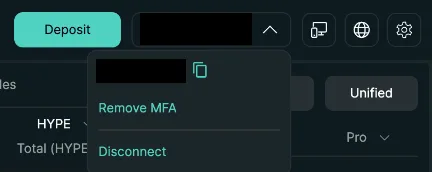
Your address is in the account menu at the top right. Use the copy button next to it. -
On the Add account screen, choose Hyperliquid and name the account.
-
Paste the wallet address into the address field and save.
Viktury reads your trades from that address and runs its first sync.
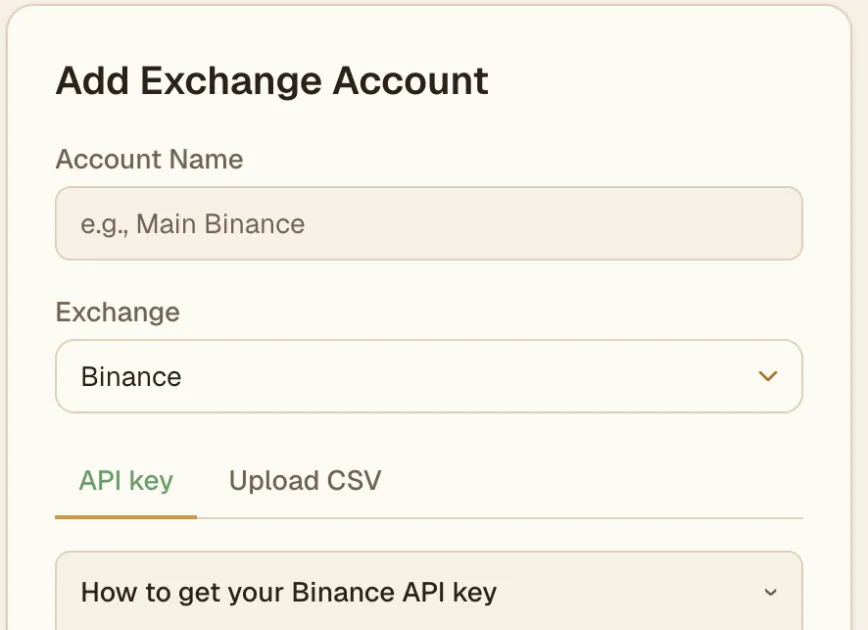
Import from a CSV instead
-
On app.hyperliquid.xyz, open the Trade History tab under the chart.
-
Click Export as CSV under the table.
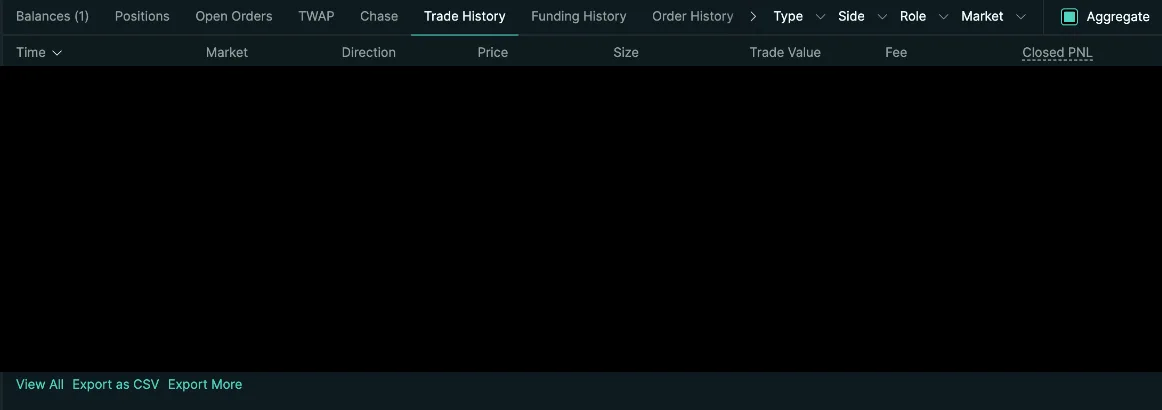
Export as CSV sits under the Trade History table. -
On the Add account screen, choose Hyperliquid, open the Upload CSV tab and select the file as it is.
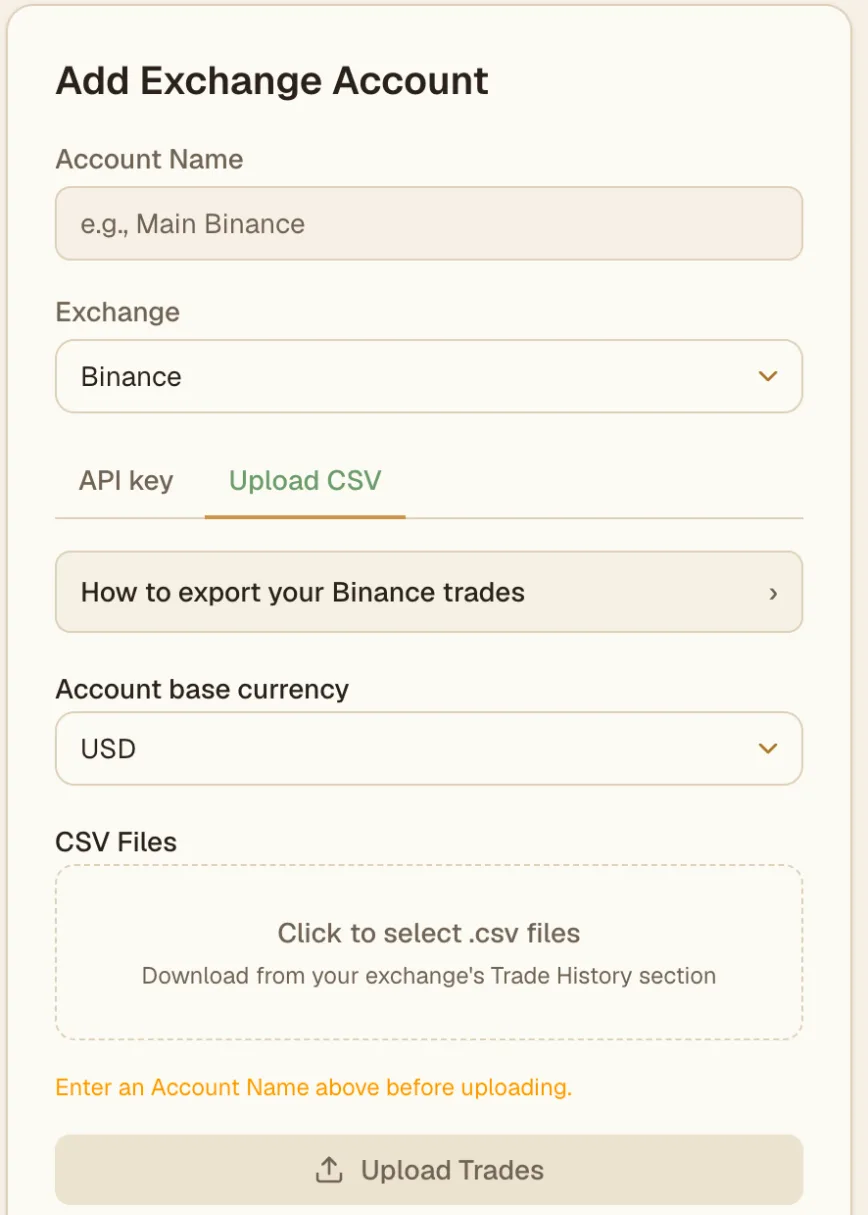
On the Upload CSV tab, pick your file and click Upload Trades.
Troubleshooting
- No trades showing. Double-check the address is the exact wallet you trade with, copied in full with the
0xprefix and no extra spaces. A different wallet, or a deposit address that you do not actually trade from, will not have trade history on it. - Wrong account connected. If trades look unfamiliar, you may have pasted a different wallet. Remove the account and add it again with the correct address.
- Still empty after a while. If the wallet genuinely has no Hyperliquid trades in the period, there is nothing to import yet. Reach out through the contact form if you expected trades and see none.